User roles
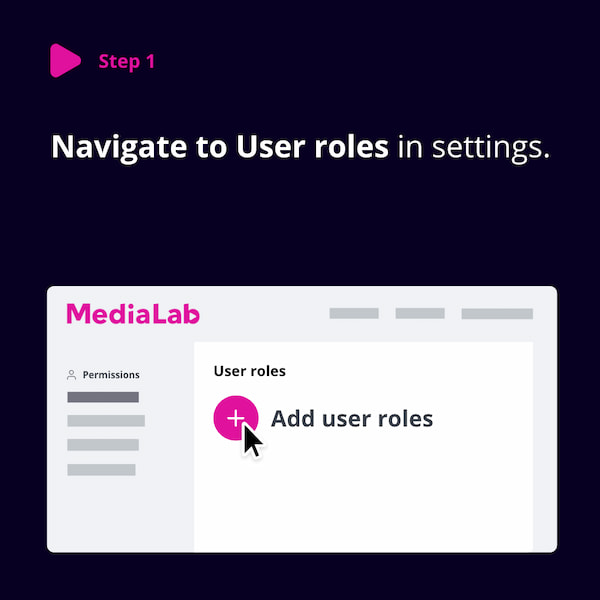
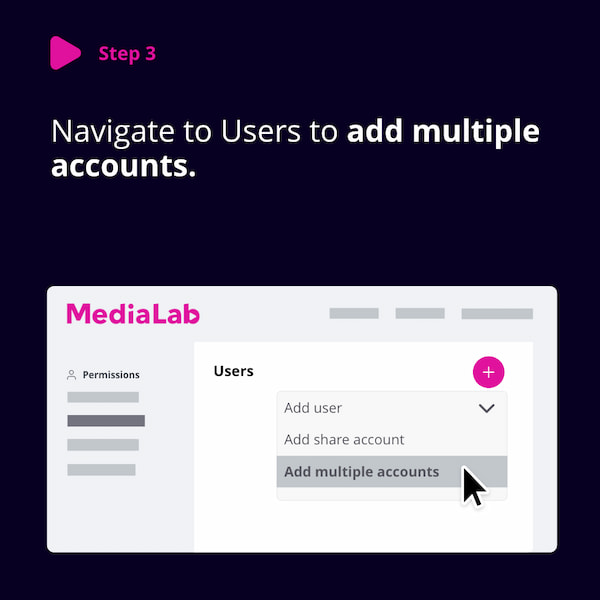
User roles provide a way to create reusable user profiles that can be assigned to multiple users, making it easier to manage access rights consistently across your organization.
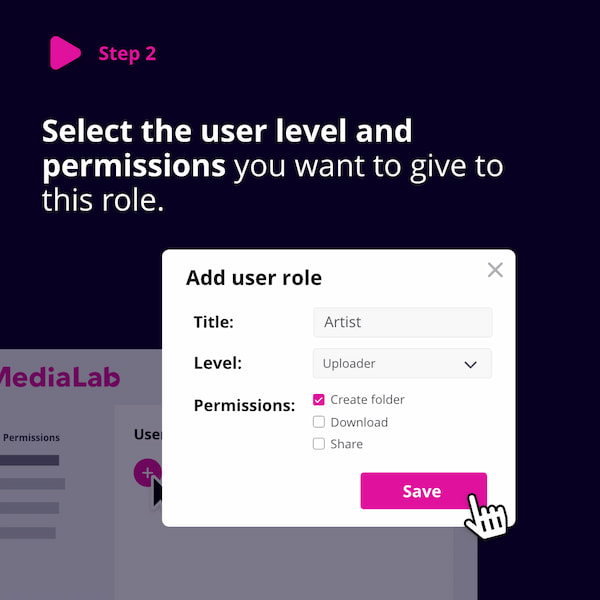
Each role can include the same attributes as an individual user:
- User level (e.g., User, Uploader, Media Manager, Administrator)
- Control flags (e.g., Share, Download, Manage)
- Groups for folder access
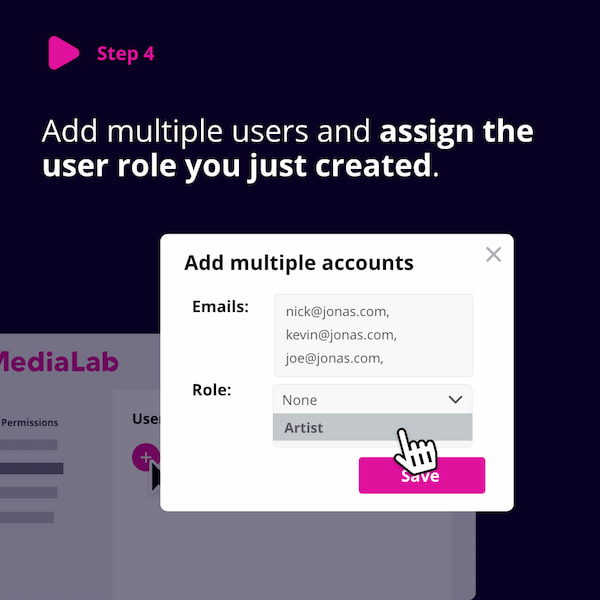
When a role is assigned to a user, all of its settings are applied to that user.
Benefits of User Roles
- Simplifies management of large sets of users.
- Centralized updates — editing a role automatically updates all users with that role.
- Helps maintain consistent permissions (e.g., one role for internal employees, another for external partners).
Important Notes
- User roles do not replace groups or control flags. Groups are still required for uploaders and regular users to gain access to specific folders.
- Each user can only be assigned one role, though a role can include multiple groups and flags.
- Once a role is assigned to a user, you can no longer manually edit that individual user’s settings.